SDR Productivity Benchmarks: How to Set Them From Your Own Team's Data
Published SDR benchmarks rarely match your market, deal size, or motion. Here is how to build internal SDR benchmarks from your own funnel and coach to the gaps they reveal.
Most SDR benchmark lists share a problem: they average teams that sell different products, to different buyers, at different deal sizes, through different channels. A meeting target that is easy for a team selling a low-priced tool to small companies can be unreachable for a team selling a complex platform to large enterprises.
The more useful benchmark is the one you build from your own team. This guide shows how to define the right metrics, build internal benchmarks from your own funnel, and use them to coach.
One constraint shapes everything below: time. In Salesforce's seventh State of Sales survey, reps reported spending more than half of their time on nonselling work like data entry and prospecting [1]. Benchmarks that reward activity volume make that worse. Benchmarks that reward qualified outcomes push the team toward better use of limited selling time.
Start With Output Metrics, Not Activity Counts
Track a small set of metrics that describe whether outreach is producing real pipeline:
| Metric | Why It Matters | How to Set Your Benchmark |
|---|---|---|
| Qualified meetings set | The core output; everything else is an input | Median of ramped reps over the last two quarters |
| Meeting held rate | Shows whether booked meetings actually happen | Your trailing average; a drop points to qualification or scheduling problems |
| Opportunity acceptance rate | Shows whether AEs agree the meeting was qualified | Agree the acceptance definition with AEs first, then track it |
| Pipeline created | Value of opportunities that SDR meetings produce | Segment by market, since deal sizes differ |
| Positive reply rate | Shows whether outbound messages earn real interest | Exclude opt-outs and "wrong person" replies |
| Conversation-to-meeting rate | Shows whether reps convert interest into commitment | Compare reps working the same segment |
Metrics that mislead
Total activities per day. A daily activity quota rewards volume over quality. Reps optimize for the count: more emails, but less researched ones; more calls, but shorter and less prepared.
Emails sent. A rep sending many templated emails can produce less than a rep sending fewer researched ones. Volume says nothing about relevance.
Dials per day. Calling a long list with no preparation can be less productive than calling a shorter list with context about each account.
If your primary KPI is "activities per day," SDRs will optimize for the metric instead of the outcome. Measure outputs such as qualified meetings and accepted opportunities, and coach on the quality of inputs rather than their volume.
How to Build Internal Benchmarks
Pick a consistent rule, such as reps who have been working a full territory for at least two quarters. Benchmarks that mix ramping and ramped reps describe neither group.
Separate reps by the segment they work (for example SMB, mid-market, enterprise), by motion (outbound, inbound follow-up, account-based), and by region if buying behavior differs. Each segment gets its own benchmark.
For each metric and segment, record the median and the range of your ramped reps over the last two quarters. Medians resist distortion from one exceptional or struggling rep.
Document exactly what counts as a qualified meeting, a positive reply, and an accepted opportunity. A benchmark is only comparable over time if the definitions stay fixed.
Territory changes, new messaging, product launches, and market conditions all move the numbers. Review benchmarks every quarter and note what changed.
What Strong SDRs Do Differently
When you compare your strongest reps with the rest of the team, the differences usually show up in where effort goes, not how much effort there is. Look for these patterns in your own team.
1. Account selection
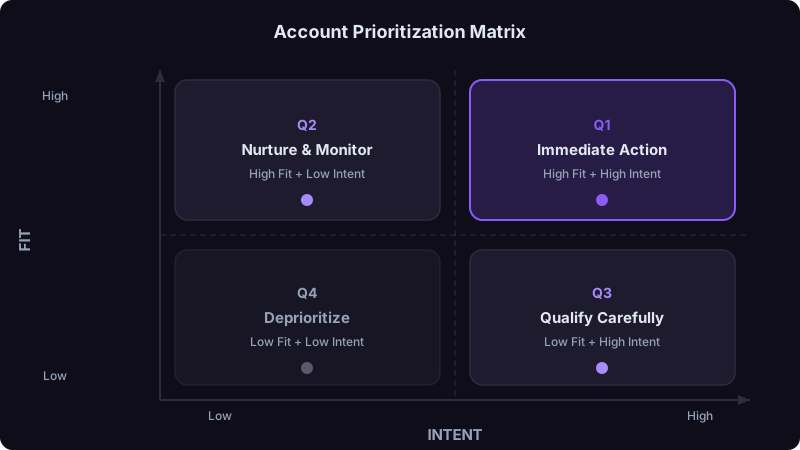
Strong SDRs spend time each morning choosing which accounts to work. They look at:
- Signals: which accounts show current research, hiring, funding, leadership change, or technology change;
- Fit: whether the company matches your best-customer profile;
- History: whether anyone from the account has engaged with your site, emails, or events.
Reps who start at the top of an unsorted list spend the same time on accounts with no reason to talk now.
2. Research depth
A useful habit is the "three-observation rule": do not reach out until you have three specific, relevant observations about the account or contact. "They are a SaaS company" is a fact, not an insight. "They just opened an office in a new region" or "their sales leader posted about ramp time" gives the rep something real to say.
| Research Level | What the Rep Knows | Likely Message Quality |
|---|---|---|
| Minimal | Company name, title, industry | Generic; reads as a template |
| Basic | Recent news and role | Somewhat relevant |
| Specific | A trigger event and a likely challenge | Relevant to the buyer's current situation |
| Specific, AI-assisted | Same depth, with gathering automated and facts reviewed by the rep | Relevant, produced faster if the rep checks sources |
Quick sources for relevant triggers: the prospect's recent LinkedIn activity, the company's press releases and job postings, and technology lookup tools such as BuiltWith or Wappalyzer. Verify anything you plan to mention before you send it.
3. Multi-channel execution
Many strong SDRs combine email, LinkedIn, and phone instead of relying on email alone. Test this rather than assuming it: run a channel-mix comparison on similar accounts and compare held meetings and accepted opportunities, not just replies.
4. Follow-up persistence
Pull a quarter of booked meetings and tag each with the touch number that produced the reply. If a meaningful share of meetings come after several touches, reps who stop early are leaving meetings behind. Use your own data to set the minimum sequence length.
5. Response speed
When a prospect replies or engages, the interest is current. Measure the time from reply to rep response for each rep and compare it with meeting conversion. If faster responses convert better in your data, make reply notifications and coverage rules part of the workflow.
Benchmark Template
Use this table to record your own numbers. Fill one copy per segment.
| Metric | Team Median (Ramped) | Range (Ramped) | Ramp Milestone |
|---|---|---|---|
| Qualified meetings per month | From your data | From your data | Set from reps who ramped successfully |
| Positive reply rate | From your data | From your data | Track from first full month |
| Meeting held rate | From your data | From your data | Track from first meeting |
| Opportunity acceptance rate | From your data | From your data | Track from first meeting |
| Pipeline created per month | From your data | From your data | Set from reps who ramped successfully |
Enterprise SDRs targeting large companies will usually have lower meeting volume and higher deal values than SMB SDRs. Never compare reps across segments with one benchmark.
The Coaching Framework
Tracking metrics is useless without a coaching system to act on them.
Look at each SDR's funnel:
Accounts worked → Contacts reached → Conversations → Meetings → Qualified opportunities
- Few accounts worked: time management. Is non-selling work crowding out outreach?
- Few contacts reached: data or channel problem. Are they reaching the right people through the right channels?
- Few conversations: messaging problem. Are emails and calls earning responses?
- Few meetings from conversations: qualification or pitch problem.
- Low acceptance: targeting problem. Are they working the wrong accounts?
If the problem is messaging, review emails together. If it is account selection, walk through the prioritization. If it is phone skills, do live call coaching. One focus per week.
"Book more meetings this month" is too big to act on daily. Instead: "This week, test a new opening line on 30 prospects and track positive replies."
In the next one-on-one, look at the micro-goal data. What did we learn, and what do we test next?
Technology That Helps vs. Shelfware
| Tool Category | When It Helps | Watch Out For |
|---|---|---|
| Sequencing (Outreach, Salesloft) | Coordinating multi-step, multi-channel outreach | Sequences that run without anyone reviewing replies |
| Intent and signal data | Prioritizing which accounts to work now | Signals reps never see in their daily workflow |
| AI research assistants | Gathering account context faster | Unverified facts making it into messages |
| Dialers | Phone-heavy motions | Less relevant for email-first teams |
| Contact data and enrichment | Reaching the right people | Stale records and bounces |
| Call recording and coaching | Specific, evidence-based coaching | Recordings nobody reviews |
| CRM (Salesforce, HubSpot) | Shared visibility of activity and outcomes | Inconsistent logging that breaks every report |
Before buying a tool, ask: "What manual process will this eliminate, and how many hours per SDR per week does it take today?" If you cannot answer, measure first. Then check after a quarter whether those hours actually moved to selling.
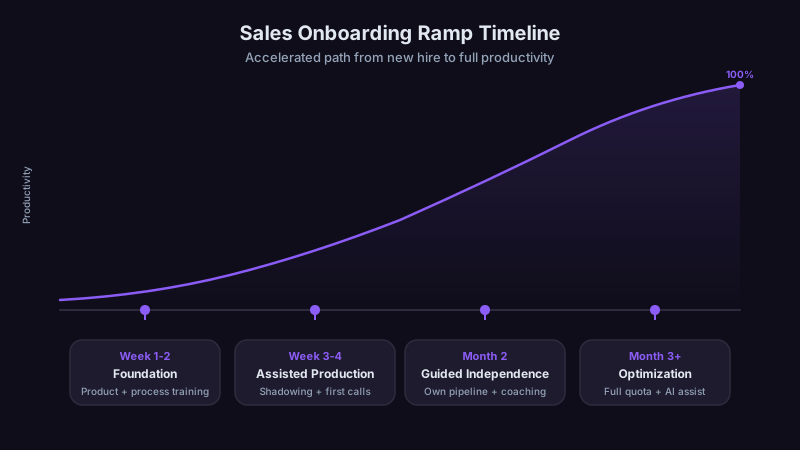
The Ramp Plan
Ramp time is where a lot of productivity is lost. Build milestones from the history of reps who ramped successfully on your team, then use them to spot new hires who need help early.
| Phase | Focus | Expected Output |
|---|---|---|
| Training | Product, ICP, tools, messaging | Practice sequences and call role-play |
| Shadowing | Sit with strong reps, first supervised outreach | First meetings, reviewed with the manager |
| Supervised outbound | Daily manager check-ins on outreach quality | Meetings trending toward the ramp milestone |
| Independent execution | Weekly coaching | Meeting and acceptance rates near the team median |
| Ramped | Optimization and peer coaching | At or above the segment benchmark |
Two practices tend to speed ramp: having new SDRs sit next to a strong performer and watch real work, and short daily check-ins during early outbound where the manager reviews that day's outreach and gives specific feedback.
What to Do Differently From Day One
Measure positive reply rate, not total reply rate. Total replies include opt-outs and "wrong person" responses. Positive replies are the ones that lead to meetings.
Invest in account selection before more sequencing. A good sequence aimed at the wrong accounts produces nothing.
Build a shared message library early. Strong reps' emails, call openers, and LinkedIn messages should not live only in their own accounts. Share them, test them, and retire the ones that stop working.
Set up peer coaching. Pairing a struggling rep with a strong peer for message and call reviews often lands differently than manager feedback.
SDR productivity is not about more hours or more emails. It is about working the right accounts with a relevant message, through the right channels, with enough persistence to get a response. Build benchmarks from your own team, track outputs, coach on inputs, and never confuse activity with progress.
References
[1]Salesforce, State of Sales, Seventh Edition, 2026. https://www.salesforce.com/en/wp-content/uploads/sites/4/documents/reports/sales/salesforce-state-of-sales-report-2026.pdf
Ready to transform your sales pipeline?
See how Prospectory's AI-powered platform can help your team research, reach, and relate to prospects at scale.
Related Articles
Cutting Sales Ramp Time: The AI-Assisted Onboarding Playbook
New sales reps can take months to reach full productivity. Learn how structured, AI-assisted onboarding can shorten that timeline.
Account Prioritization: A Practical Fit, Evidence, and Timing Framework
Build a reviewable account-prioritization process that combines fit, current evidence, timing, CRM context, and seller judgment without treating a score as a buying decision.
Objection Handling: How AI Can Support Better Sales Conversations
Learn how to turn real call data into objection frameworks, practice scenarios, and a measurable coaching loop.