AI Response Management: How to Handle More Replies Without Hiring
Getting replies is only half the battle. Learn how AI-assisted classification, routing, and drafting turn more of the replies you already earn into meetings.
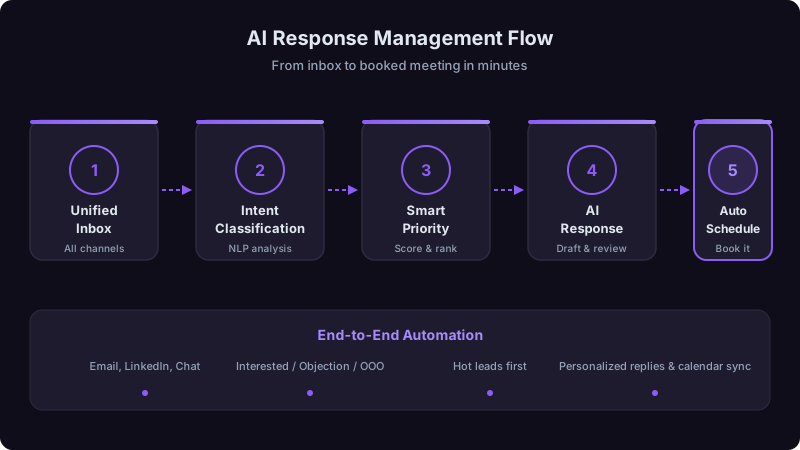
Here is an uncomfortable truth about outbound sales: most teams invest heavily in getting replies and barely think about what happens after someone responds.
Replies sit unread for hours. Interested prospects get the same slow treatment as people who are only curious. Objections go unanswered because the rep was not sure what to say and moved on. Meeting requests get lost in long scheduling threads across time zones. None of this shows up as a problem in an activity dashboard, but it is where a lot of pipeline leaks out.
AI-assisted classification, routing, and drafting can fix much of it. This guide covers why response management deserves attention, a five-layer system you can build in stages, where to start, and the mistakes to avoid.
Why Response Management Is a High-Return Problem
Most sales teams optimize the top of the funnel: more emails, more calls, more touches. That matters, but the conversion math points somewhere else.
Take any outbound program and hold the outreach constant: same volume, same messaging. If you improve the share of replies that become meetings, you get more meetings without sending a single extra email. Every point of reply-to-meeting conversion you recover is pipeline you already paid for.
That is the response management opportunity, and it is one of the places where AI is practical today.
A prospect who replies is giving you their attention right now. The longer they wait, the more likely that attention moves to another priority or another vendor. Measure your current time to first response on positive replies before you change anything else; for many teams it is the biggest gap.
The Five-Layer AI Response System
Each layer builds on the one before it. You can implement them in stages and see improvement before all five are in place.
Layer 1: Unified Ingestion
Before AI can do anything useful, every reply needs to land in one place. It sounds simple, but it is usually the hardest first step.
Replies tend to be scattered across:
- Individual rep inboxes in Outlook or Gmail
- Sales engagement platform reply tracking
- LinkedIn messages
- Website chat transcripts
- Inbound form submissions in your marketing platform
- Shared team inboxes for general inquiries
Centralize them into one processing queue. Every reply, whatever its source, gets ingested, cleaned of signatures, forwarding chains, and noise, and queued for classification.
Teams that bolt AI classification onto fragmented inboxes, one tool for email, another for LinkedIn, manual review for forms, end up with inconsistent classification, no unified reporting, and prospects on one channel treated more slowly than on another. Centralize first, then classify.
Layer 2: AI Classification
Every reply is classified into a category that decides its routing, urgency, and response type:
| Category | What It Means | Example | Urgency | Action |
|---|---|---|---|---|
| Meeting Ready | Prospect wants to talk | "Sure, how about Thursday?" | Critical | Alert the owner immediately with a scheduling draft |
| Interested | Positive but needs a next step | "This looks interesting, tell me more" | High | AI drafts a follow-up; the rep reviews and sends |
| Question | Wants information first | "How does this integrate with Salesforce?" | High | AI drafts an answer from the knowledge base; the rep reviews |
| Objection: Price | Cost concern | "This seems expensive for our size" | Medium | Route to a senior rep with the objection playbook |
| Objection: Timing | Not the right moment | "We're mid-contract, check back in Q3" | Medium | Schedule a follow-up for the stated time |
| Objection: Fit | Does not see relevance | "We already use [competitor]" | Medium | Route to a rep with competitive positioning |
| Referral | Points to another person | "You should talk to [Name] about this" | High | Extract the new contact, create a record, route |
| Not Interested | Declines for now | "Not interested this quarter; follow up after our renewal" | Low | Stop this sequence, log the reason and any timing given; a person decides on any wider suppression |
| Unsubscribe | Asks to stop all email | "Please remove me from all future emails" | Low | Record the opt-out and remove from every sequence |
You do not need a huge labeled dataset to start. Begin with a few hundred replies labeled by hand across these categories, send low-confidence classifications to human review, and treat every rep correction as new training data. Ambiguous tone, sarcasm, non-English replies, and messages that cover several topics are the usual edge cases, so keep a person in the loop for them.
Track how often reps correct the classifier, by category. Automate an action only for categories where corrections are rare, and keep human review everywhere else.
Layer 3: Smart Routing and Prioritization
Classification decides what happens next and how fast. Set targets that fit your team, in tiers like these:
Immediate:
- Meeting Ready replies trigger an alert to the account owner with a drafted response and scheduling options.
- Referral replies are processed automatically: the new contact's name and role are extracted, a CRM record is created, and the assigned rep gets the context.
Priority:
- Interested and Question replies rise to the top of the rep's queue with AI drafts ready to review.
- Price objections go to a senior rep or the rep's manager with the objection playbook attached.
Standard:
- Timing objections get a follow-up scheduled for the date mentioned, or a default interval if none was given.
- Fit objections go to the rep with competitive battle cards and positioning documents.
Automated, no human needed:
- Explicit unsubscribe requests, such as "remove me" or "stop emailing me," are processed at once: the contact is removed from every active sequence, the preference is updated in the CRM, and the change is logged. Under the CAN-SPAM Act, you must honor a recipient's opt-out request within 10 business days [1], so do not leave unsubscribes waiting in a rep's queue. A plain "not interested" is not the same request: stop that sequence and route the reply to a person instead of suppressing the contact everywhere.
- Out-of-office replies are parsed for return dates, and follow-up is rescheduled automatically.
Not every reply should be handled by the first rep who sees it.
Meeting Ready, Interested, basic product questions, and timing objections. These are within every SDR's ability.
Price objections, fit objections involving competitor comparisons, and technical questions that need deep product knowledge. The SDR acknowledges the reply quickly; the substantive answer comes from someone with more authority or expertise.
Replies from executives at strategic accounts, legal, PR, or compliance threats, and objections that touch contract terms or partnerships. These need human judgment and organizational authority.
Security and compliance questions go to the security team, legal questions to legal, and product feature requests to product, flagged with the account's potential.
Layer 4: AI Draft Generation
For every reply that needs a written response, the AI prepares a draft before the rep opens the thread. The draft draws on:
- The original outreach and full conversation history, so the response is relevant, not generic.
- The prospect's profile: company, industry, and role, so tone and content fit.
- Your response playbook: objection handlers, FAQ answers, and competitive positioning your team has refined.
- Past conversations that led to meetings in similar situations.
The rep reviews, adjusts tone and specifics, and sends. Straightforward replies take seconds to review; objections take longer.
A generic draft that appears instantly but needs heavy editing saves little. A draft that takes a few extra seconds to generate but uses the full conversation history usually needs far less editing, and the prospect never sees the difference in generation time. Optimize for draft quality.
Layer 5: Measurement and Optimization
Track these weekly:
Primary metrics:
- Reply-to-meeting conversion by category: the north star, overall and by response type. A weak Question-to-meeting rate means your answers need work; a weak Objection-to-meeting rate means your playbooks do.
- Response time by tier: are you meeting your targets, and where are the bottlenecks?
- Classification accuracy: track corrections and feed them back to the model.
Secondary metrics:
- Draft acceptance: how many drafts go out with light edits versus full rewrites. Heavy rewriting means the drafts are not good enough yet.
- Escalation rate: if a large share of replies needs escalation, your Tier 1 playbooks may need to grow.
- Time to close by first response time: check in your own data whether faster responses correlate with faster deals.
| Metric | Before | After | How to Measure |
|---|---|---|---|
| Time to first response, Tier 1 | Baseline from your CRM | Same measure after rollout | Median minutes from reply to first response |
| Reply-to-meeting conversion | Baseline | After rollout | Meetings held divided by positive replies |
| Rep time on response handling | Time study | Time study | Hours per rep per day |
| Missed or dropped replies | Audit of unanswered replies | Same audit | Replies with no response after your target window |
Where to Start
You do not need all five layers at once. A practical order:
First: fix speed. Alert reps in real time to any reply with meeting-intent language ("sure," "let's talk," "how about," "calendar," "available"). Basic automation tools can do this, and it is often the quickest improvement.
Second: centralize inboxes. Feed every reply source into one queue: your engagement platform, marketing platform, and LinkedIn. It is plumbing, but everything else depends on it.
Third: add classification. Start with simple rules for Meeting Ready, explicit Unsubscribe requests, and Out of Office, send ambiguous declines such as "not interested this quarter" to a person, and label the rest by hand. That gives you the data to train a model later.
Fourth: add AI drafting. Start with your highest-volume categories, Interested and Question, using templates first and contextual drafts as confidence grows.
Then: close the loop. Track every metric above, feed corrections back to the classifier, and test response templates and playbook variations.
Mistakes to Avoid
Automating responses to hot leads. Sending calendar links automatically without review backfires: the classifier sometimes misreads tone (a sarcastic "sure, I'd love another sales pitch" is not a meeting request), and even correct auto-replies can feel like talking to a bot. Automate the alert to the rep; keep the response human.
Ignoring out-of-office replies. They often contain return dates, backup contacts, and sometimes a new role. An out-of-office reply that says "I'm out until Jan 15, contact Jamie Smith in my absence" should create a follow-up task for Jan 15 and a new contact record for Jamie Smith.
Treating all objections the same. A price objection and a competitor objection need different responses from different people. Subcategorize objections and route each to the right handler.
Not measuring by channel. Email replies, LinkedIn replies, and form submissions carry different intent. Averaging across channels can hide a channel your team handles badly.
If you take one thing from this article: fix response time first. Classification, routing, and drafting are optimization on top of speed. A good response sent quickly usually beats a perfect one sent hours later.
Response management is not glamorous. But prospects who reply have already raised their hands. The only question is whether your system catches those raised hands and turns them into conversations, or lets them go stale in an inbox until a competitor answers first.
Build the system, measure it against your own baseline, and improve it every week.
References
[1]Federal Trade Commission, CAN-SPAM Act: A Compliance Guide for Business. https://www.ftc.gov/business-guidance/resources/can-spam-act-compliance-guide-business
Ready to transform your sales pipeline?
See how Prospectory's AI-powered platform can help your team research, reach, and relate to prospects at scale.
Related Articles
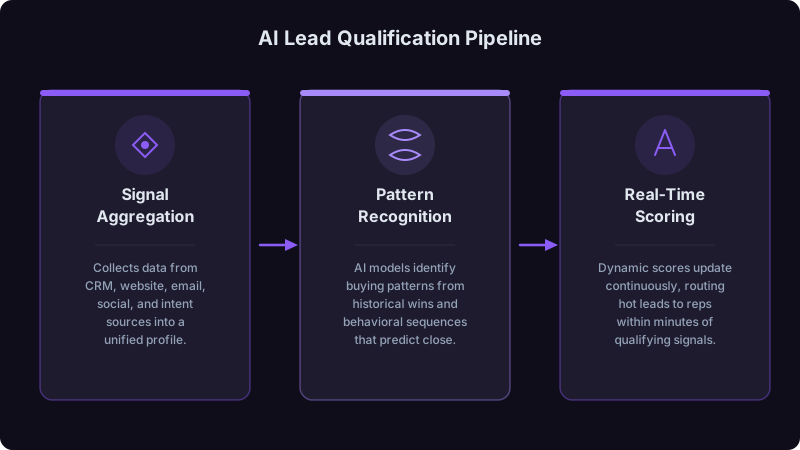
AI Lead Qualification: Separating Hot Prospects from Time Wasters
Too much rep time goes to leads that will never buy. Learn how AI qualification helps identify real opportunities faster.
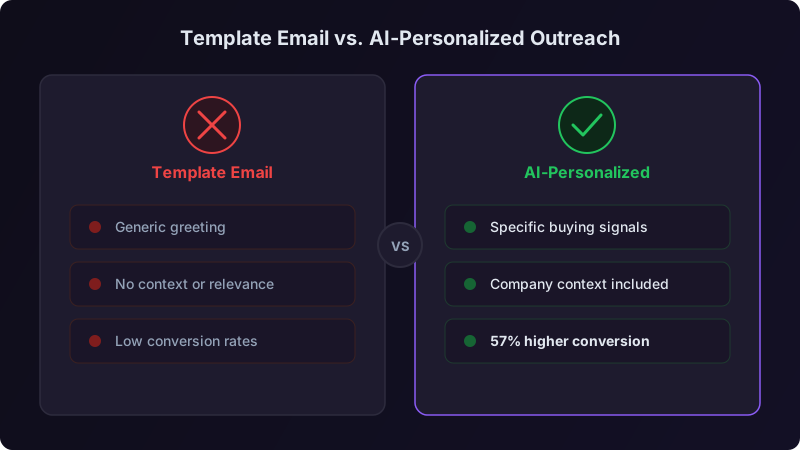
Hyper-Personalization at Scale: How to Use AI to Write Better Sales Emails
Generic templates get ignored. Learn how to use AI for research-backed personalization at scale, where people still need to review, and how to measure the result against your templates.
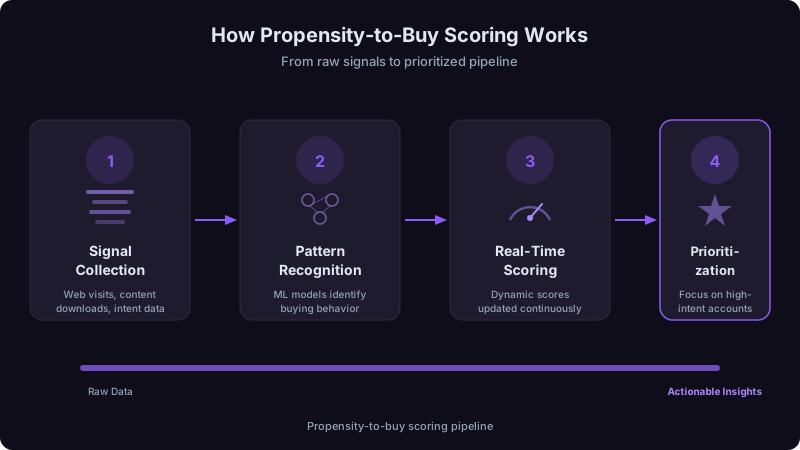
Propensity to Buy Scoring: A Practical Guide to Account Prioritization
Learn how Prospectory's current P2B score weighs five account-research factors and presents explanations with available source context for seller review.