AI Sales Forecasting: Why Your Pipeline Predictions Are Wrong (And How to Fix Them)
Most sales forecasts miss because they rest on rep optimism and stale CRM data. Learn how AI forecasting uses engagement and pipeline signals, and how to commit deals on buyer evidence.
Every quarter, the same ritual plays out. Managers ask reps to call their number. Reps say something optimistic. Managers apply a haircut. The VP of Sales rolls it up, adds a buffer, and presents it to the board. The board plans around that number, and then reality arrives somewhere else.
Traditional forecasting is not broken because people are bad at it. It struggles because it asks people to predict complex outcomes from incomplete information, filtered through their own incentives. AI can help, not perfectly and not magically, by giving the forecast better evidence. This guide covers why forecasts miss, how AI forecasting works, how to implement it without losing trust, and the buyer-evidence standard that should sit underneath any forecast, human or model.
Why Your Forecast Is Wrong
There are five common failure modes, and most organizations suffer from several at once.
Failure Mode 1: The Optimism Tax
Reps are optimistic by nature. It makes them good sellers and unreliable forecasters. When a rep says they are confident a deal closes this quarter, they often mean the champion is interested and they cannot think of a reason it would not close. They are not counting the procurement review, the competing project consuming the budget owner's attention, or the reorganization about to shuffle priorities.
Pull last year's deals with the close probability reps gave them at the start of the final month, and compare those probabilities with what actually closed. The gap between stated confidence and outcomes is your team's optimism tax, and it is the baseline any new method has to beat.
Failure Mode 2: The Snapshot Problem
The Monday forecast call captures a moment. By Wednesday, deals have gone quiet, a new opportunity has appeared, and a commit deal has slipped. The number reported on Monday does not change until the next call. Forecasting this way is like navigating with a map that updates once a week.
Failure Mode 3: Garbage In
CRM data quality is the quiet weakness of sales operations. Stage assignments go stale, close dates are pushed so routinely they stop meaning anything, deal amounts are rough estimates that rarely get updated, and required fields get placeholder values just to move a record forward. A forecast built on rep-entered data is only as good as that data.
Failure Mode 4: The Complexity Ceiling
For a given deal, can you weigh email engagement trends, stakeholder changes, competitive activity, budget timing, historical win rates for similar deals, the rep's own patterns, and market conditions at the same time? No person can hold all of that and produce a reliable probability. A model can weigh many signals consistently, if it has the data.
Failure Mode 5: The Incentive Problem
Reps sandbag to protect upside. Managers inflate to avoid being the team that misses. VPs add buffers, and finance adds its own. By the time the number reaches the board, it has been through so many adjustments that it barely reflects the pipeline.
How AI-Powered Forecasting Works
AI forecasting does not replace judgment. It gives people better evidence to judge with.
Signal Collection
Instead of relying only on what reps say about their deals, AI forecasting tools read signals from the systems where selling happens:
Email signals
- Response times: are replies getting slower?
- Thread participants: are new stakeholders joining, or has the champion gone quiet?
- The frequency of back-and-forth communication
Calendar signals
- Meetings scheduled with several stakeholders
- Meetings canceled or postponed
- Whether the prospect or the rep requested the meeting
CRM activity signals
- How fast the deal is moving through stages compared with similar deals
- Time in the current stage compared with your history
- Number of contacts engaged at the account
External signals
- Company news such as funding, layoffs, or leadership changes
- Technology changes
- Job postings that point to the problem you solve
Pattern Matching
The model compares a deal's current signals with your history of won and lost deals and asks what usually happened when deals looked like this at this stage. Patterns such as a fast-responding champion, several stakeholders at the demo, and a short evaluation tend to separate deals that close from deals that stall, such as replies slowing down, a single engaged contact, and a competitor appearing in the thread. Which patterns matter, and how much, depends on your business, which is why the model has to learn from your own history.
Continuous Scoring
The critical difference is timing. AI scores update as new signals arrive, not once a week. The unanswered email, the meeting rescheduled twice, and the new executive who just connected with your champion all show up in the score before the next forecast call.
Commit on Buyer Evidence, Not CRM Stage
A model is only as good as the evidence it scores, and so is the forecast call. The timing problem is getting harder: in Salesforce's seventh State of Sales survey of 4,050 sales professionals, 57% said customers take longer to decide than they used to [1]. Longer decisions leave more time for a deal to stall after it has already been counted.
Separate seller activity from buyer commitment. "Demo delivered" and "proposal sent" record what your team did. Budget confirmed, security review completed, procurement engaged, and contract terms under review record what the buyer committed to. Only the second kind belongs in a commit decision, whether a person or a model is making it. Before a deal enters commit, ask for buyer actions like these:
- Budget formally confirmed: a named budget line, purchase request, or written confirmation from the budget owner.
- Contract path agreed: the buyer has named who reviews the agreement, how long their legal and procurement steps take, and when they start.
- Technical evaluation completed: a security review, architecture approval, or evaluation scorecard shared with the buying group.
- Cross-functional meeting held: the budget owner, technical evaluator, and champion have discussed the purchase together.
Check who you are actually talking to. A deal with one active relationship has a single point of failure. In every review, ask which people at the account you have spoken with recently and what each of them agreed to:
| Stakeholder | Evidence of an active relationship | Forecast treatment |
|---|---|---|
| Budget owner | Recent meeting about commercial terms | Example: required for commit |
| Technical evaluator | Completed evaluation with results shared | Example: required for commit |
| Champion | Regular engagement and introductions to other stakeholders | Example: required for commit |
| Procurement or legal | Engaged on process, timeline, and contract requirements | Add their stated review time to the close date |
| Executive sponsor | Meeting held or scheduled before final approval | Confirm who signs and when |
Treat the roles as a starting policy. Choose the ones that approve purchases in your deals and a recency window that fits your cycle, then check the policy against last quarter's committed deals: if it would have excluded deals that closed on time, loosen it.
Ask for the buyer's timeline, not the rep's. Three questions separate wishful close dates from real ones: "What internal approvals happen between today and signature, and how long does each usually take?", "Who is involved in those approvals, and have you bought this way before?", and "What happens on your side if this slips a month?" If the answer to the last one is "nothing really," the date is soft.
Re-qualify slipped deals. A deal that slipped from last quarter often gets a new close date without new evidence, and the reasons it slipped have usually not changed. Treat each one as a new commit decision against the same standard.
Implementing AI Forecasting: A Practical Guide
You do not need perfect data, but you need enough of it:
- A meaningful history of closed-won and closed-lost opportunities with accurate close dates and amounts
- Email integration so the system can read engagement signals
- Calendar integration for meeting data
- Stage definitions your team actually follows
:::callout[Don't Wait for Perfect Data]{type=tip}
Teams sometimes delay AI forecasting to clean up the CRM first. That is a trap. Start with what you have. A model surfaces data quality problems faster than a manual audit, so fix the biggest ones and iterate.
:::
Before you turn on AI, document how accurate your current forecast is. For the last four quarters, calculate:
- How far each quarterly forecast was from actual bookings
- When in the quarter the forecast converged on reality
- Which stages had the least accurate probabilities
Without this baseline you cannot show that the AI is better.
Do not replace your forecast overnight. Run the model alongside your existing process. Every week, compare what the model predicts for the quarter with the manager roll-up, and look at where they disagree and why.
The disagreements are the useful part. When the model flags a deal as at risk and the rep calls it commit, dig in. Often the model has seen a signal the rep missed: a stakeholder going quiet, a slowdown, a pattern that resembles deals that stalled before.
The best forecasting process combines model scores with structured human context:
1. The model generates a deal-level probability and a rolled-up quarterly forecast.
2. Reps review their scores and flag deals where they have material context the model cannot see.
3. Managers review the combined view and adjust based on their judgment.
4. RevOps compares the model forecast, the human forecast, and the blend, and tracks which proves most accurate over time.
Measuring the Results
Judge AI forecasting against your own baseline, not a vendor's claims:
| Metric | What to Compare | Why It Matters |
|---|---|---|
| Quarterly forecast accuracy | Forecast vs. actual bookings, before and after | The headline measure of whether the change worked |
| Early risk detection | How far ahead of the close date at-risk deals were flagged | Earlier warnings leave time to act |
| Forecast variance | Spread between forecast and actual across quarters | Steadier forecasts make planning easier |
| Time spent on forecast calls | Manager hours per week | Shows whether data gathering moved to the system |
| Rep trust | Survey and qualitative feedback | A tool reps distrust will be worked around |
A typical save: the model flags a commit deal as high risk weeks before quarter end because the economic buyer has stopped responding and a competitor has started engaging the technical team. The rep had not noticed either signal. The team re-engages through a different contact, and the deal either recovers or is moved out of commit while there is still time to cover the gap.
Managing the Human Side
The hardest part of AI forecasting is not the technology. It is the people.
Reps feel watched. When AI reads their email, meetings, and CRM activity, some reps get uncomfortable. Be direct: the model evaluates deals, not people. Show reps how it helps them, with early warnings and better prioritization, instead of framing it as oversight.
Managers feel replaced. If the model forecasts, what is the manager for? Their role shifts from gathering data to coaching on the deals the model flags as at risk, which is a better use of their time.
The board needs calibration. Boards build their own mental adjustments for inaccurate forecasts. Present the model alongside the traditional forecast for a few quarters before switching fully, so trust is earned with evidence.
Common Objections
"Our deals are too unique for pattern matching."
Every deal has unique context, but the signals that predict outcomes, such as engagement, stakeholder breadth, and velocity, tend to repeat. Shadow mode will show you whether they do in your business.
"What about data privacy?"
A legitimate concern. Confirm the tool processes data in line with your privacy policies and contracts, review its security documentation and data processing terms, and tell your team what data is analyzed.
"We don't have enough historical data."
Models need a reasonable history of closed deals to learn from. If yours is thin, start by using AI to read engagement signals on current deals, and add pattern matching as your history grows.
"Reps will game the signals."
If reps know engagement affects the score, they may send more email. But good models look at two-way engagement, not one-way activity, and a prospect's real response is hard to fake. If gaming the model means more consistent follow-up, that is not all bad.
Where to Start This Week
- 1Pull four quarters of forecast versus actual data. Calculate your average miss. That is your baseline.
- 2Audit CRM completeness. Check how many closed opportunities have accurate close dates, amounts, and stage histories, and fix the worst gaps first.
- 3Evaluate one AI forecasting tool. Pick one, run it in shadow mode with one team for a quarter, and measure it against your baseline.
- 4Talk to your team. Explain why you are doing this, what data will be analyzed, and how it helps them. Transparency prevents backlash.
The goal is not to remove people from forecasting. It is to give them better evidence, so the Monday call becomes a conversation about what the buyer has actually done.
References
[1]Salesforce, State of Sales, Seventh Edition, 2026. https://www.salesforce.com/en/wp-content/uploads/sites/4/documents/reports/sales/salesforce-state-of-sales-report-2026.pdf
Ready to transform your sales pipeline?
See how Prospectory's AI-powered platform can help your team research, reach, and relate to prospects at scale.
Related Articles
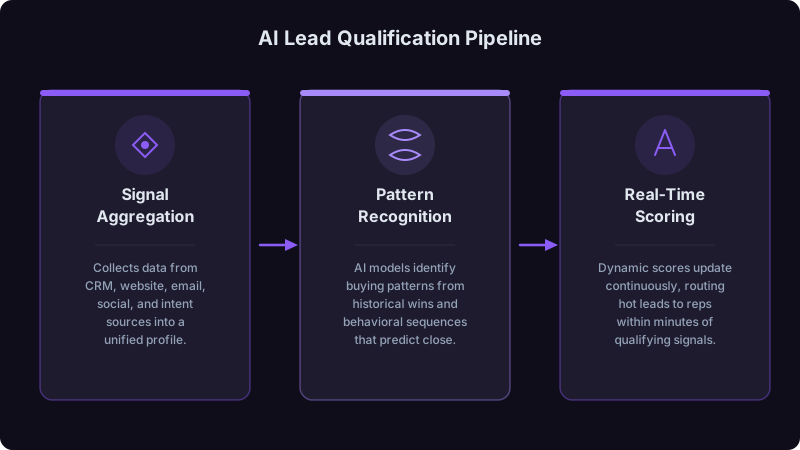
AI Lead Qualification: Separating Hot Prospects from Time Wasters
Too much rep time goes to leads that will never buy. Learn how AI qualification helps identify real opportunities faster.
Signal Stacking: How to Combine Buying Indicators Instead of Chasing Single Signals
A single buying signal is easy to misread. Learn how to combine concurrent signals from different categories, weight and decay them, and test whether stacked accounts convert better in your pipeline.
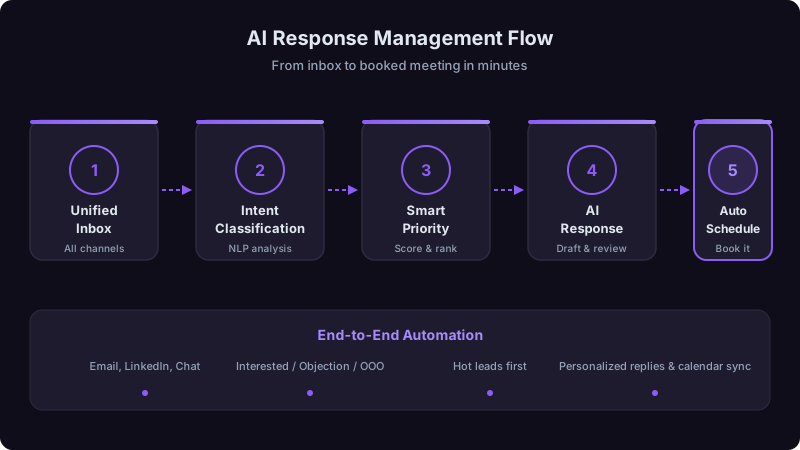
AI Response Management: How to Handle More Replies Without Hiring
Getting replies is only half the battle. Learn how AI-assisted classification, routing, and drafting turn more of the replies you already earn into meetings.