Hyper-Personalization at Scale: How to Use AI to Write Better Sales Emails
Generic templates get ignored. Learn how to use AI for research-backed personalization at scale, where people still need to review, and how to measure the result against your templates.
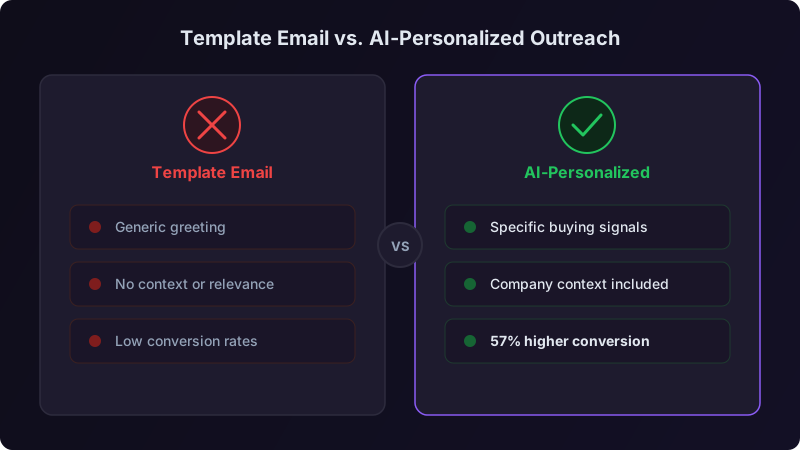
Most sales teams have lived the same trade-off. A rep who researches each prospect, reads their recent posts, checks the company news, and writes an email about their actual situation tends to earn better conversations. A rep working from a template can send far more email. Research does not scale, and volume without research gets ignored.
That tension is the problem AI personalization is meant to solve. Used well, it takes over the research and the first draft so a rep can spend their time on judgment. Used badly, it produces emails that are technically personalized and obviously automated. This guide covers what good AI personalization does, where it fails, which work should stay human, and how to roll it out and measure it against your own templates.
The Personalization Spectrum
Not all personalization is equal. It helps to think of it as five levels:
| Level | Description | Example |
|---|---|---|
| Level 0: Blast | Same email to everyone | "Dear Sir/Madam, we offer solutions..." |
| Level 1: Merge fields | Name and company swapped in | "Hi Sarah, I noticed you work at Acme..." |
| Level 2: Segment | Messaging varies by industry or role | "As a VP of Sales at a growth-stage software company..." |
| Level 3: Researched | References specific prospect details | "Saw your post about rebuilding outbound..." |
| Level 4: Contextual | Connects research to a timely trigger | "With your new funding round and the SDR roles you just posted..." |
Most template programs live at levels 1 and 2. Skilled researchers reach level 3, and level 4 on their best days. The promise of AI personalization is to reach levels 3 and 4 consistently, on every email, without the research time.
What AI Personalization Actually Does
AI personalization is not a first name in a template. A useful system does four jobs between receiving a prospect record and producing a draft:
The system pulls from the sources you connect: the prospect's public profile and recent posts, the company website and news, job postings, funding data, technographic data, and first-party data from your CRM such as earlier conversations and page visits.
Raw data becomes meaning. Repeated posts about hiring challenges suggest that scaling the team is a current priority. A new funding round suggests budget and growth pressure. A competitor's product in their stack suggests they already know the category.
The system maps those signals to your value propositions. If you help teams ramp new sellers and the prospect is hiring sellers, that is a direct connection. The goal is the strongest, most relevant bridge between what you do and what they care about right now.
The draft leads with the prospect's situation, connects it to a relevant outcome, and ends with a specific, low-friction ask. Tone matches the channel: more formal for email, more conversational for LinkedIn.
The Before and After
Two illustrative emails show the difference. The company and people are fictional.
Level 1, merge-field "personalization":
Hi John, I noticed you work at Vertex Solutions. We help companies like yours improve sales efficiency. Would you be open to a quick chat?
This tells John nothing he does not already know. It could go to anyone at any company.
Level 3 to 4, AI-researched and human-reviewed:
Hi John, congrats on Vertex's Series B. I also saw the new SDR roles on your careers page, which usually means scaling outbound is on the plan for this year. If ramping those reps quickly matters, I can share how teams at your stage structure the first month. Worth a short call?
This shows John you know something specific, you understand what it implies, and you have something relevant to offer. Notice what it does not do: it does not claim a customer result you cannot show. If you mention a customer outcome, use one that customer has approved for sharing, and link to it.
Personalization works less by flattering the prospect than by signaling competence. An email that shows you understand their situation suggests you may understand their problem well enough to be worth a conversation. A generic email signals the opposite.
What AI Gets Wrong, and Where Humans Still Matter
AI personalization is not set-and-forget. These are the failure modes to watch for:
Tone mismatches. Drafts often come out slightly too formal or too enthusiastic: "Congratulations on the incredible Series B!" where "Congrats on the Series B" sounds human. Review catches this quickly.
Stale references. If the draft cites a months-old post as if it were recent, the prospect concludes a tool wrote it. Weight recent signals heavily and check dates before sending.
Over-personalization. An email that cites the funding round, a new hire, last Tuesday's post, the product launch, and the tech stack reads like a dossier. One or two relevant details are enough.
Missing context. A rep may know something no data source holds, such as a painful vendor switch they heard about at a conference. The best emails combine AI-gathered research with what the rep knows.
Invented facts. Language models can state plausible details that are not true. Every fact in a draft, from a job title to a funding amount, needs checking against its source before the email goes out.
Decide What to Automate and What Stays Human
Personalization is not optional for buyers, and research time is the constraint for sellers. In Salesforce's seventh State of Sales survey, 67% of sales professionals said personalization is more important to customers than it was last year, and the report says reps spend more than half of their time on nonselling work like data entry and prospecting [1]. The answer is not to automate everything or nothing, but to decide task by task. Three questions settle most cases:
- 1Does this task need judgment about this specific prospect? If the process is the same whoever the prospect is, automate it. If it depends on who they are, keep a person involved.
- 2Would a mistake here damage the relationship? If a wrong word or bad timing could cost the deal, keep human oversight. If a mistake is invisible or easy to recover from, automate.
- 3Is this repetitive work eating a large share of rep time? Then automating it pays off even if the automation is imperfect.
Applied to a typical outbound motion, the answers sort tasks into three groups:
| Automate fully | Automate with human review | Keep human |
|---|---|---|
| Data enrichment and account research | First-touch email drafts | Negotiation and pricing |
| Email verification before sending | Replies to common objections | Executive relationship building |
| CRM activity logging | Meeting prep summaries | Complex, specific objections |
| Meeting scheduling and reminders | Follow-ups to high-value accounts | Strategic account planning |
| Routing leads to the right owner | Follow-up on active opportunities |
One rule follows from the second question: a person writes the first email to a named strategic account. The cost of a generic or wrong first impression there is too high to delegate, however good the draft looks.
The Human-AI Workflow in Practice
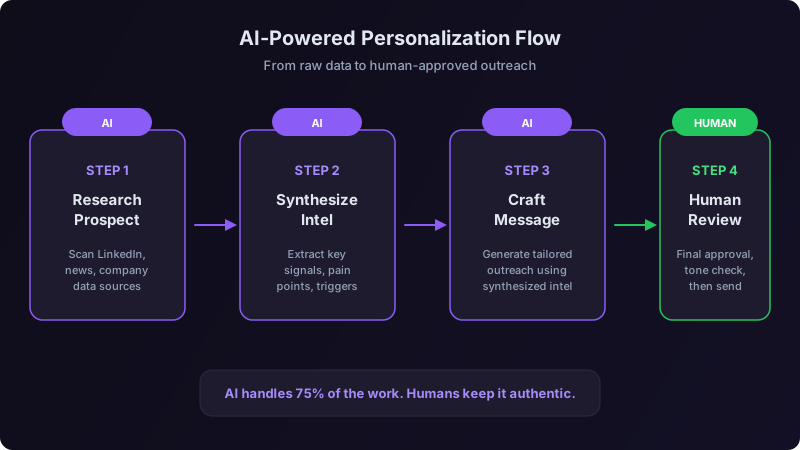
For every prospect, the system produces:
- 1A research brief with key signals, company context, and relevant triggers
- 2A suggested angle: which signal to lead with and why
- 3A draft email connecting that angle to your value proposition
- 4Two or three alternative angles if the rep wants a different approach
The rep then:
- 1Scans the brief and checks the facts the draft relies on
- 2Reads the draft
- 3Adjusts tone and adds anything they know that the data does not
- 4Sends, or discards the draft and writes their own
The point is to move rep time from gathering information to judging it.
Rolling It Out Without Breaking Things
Rollouts usually go wrong in three ways: too few data sources, no human review, or value propositions too vague for the system to map signals to. A phased plan avoids all three.
Phase 1: Data Foundation
Connect the sources the system needs:
- [ ] Prospect profiles and public activity
- [ ] Your CRM (deal history, earlier conversations, contact data)
- [ ] A company data provider (firmographics, technographics, funding)
- [ ] Your website analytics (which pages did they visit?)
- [ ] News and trigger events (funding, hiring, leadership changes)
If you can only connect three sources, start with prospect profiles, your CRM, and a company data provider. Together they cover personal context, interaction history, and the firmographic and trigger signals most angles depend on.
Phase 2: Value Proposition Mapping
The system needs to know what to connect signals to. Write each value proposition as a specific, outcome-focused statement tied to a prospect situation, and attach only proof you can stand behind:
| Prospect Situation | Value Prop Connection | Proof to Attach |
|---|---|---|
| Hiring SDRs | We help new reps ramp faster | A customer result that customer has approved for sharing |
| Using a competitor | We deliver more verified contacts | A documented comparison you can show |
| Recently funded | We help funded teams hit new targets | A published case study with its source |
| New sales leader | We help new leaders show early progress | A reference customer willing to talk |
If you do not have approved proof for a row, leave the proof column empty. A draft that cites an invented customer result can cost you the deal and the brand.
Phase 3: Pilot With Review
Start with a few reps, and review every draft before it is sent. Track three things during the pilot:
- 1Draft acceptance: how many drafts go out with minor or no edits.
- 2Replies against a control: positive replies and meetings from AI-assisted emails compared with the same reps' template emails to a comparable audience.
- 3Time per email: from prospect assignment to send.
Phase 4: Calibration
Adjust based on what the pilot shows. Common changes: shorter drafts, fewer personalization details per email, tone guidance tuned to your audience, and adding or removing data sources depending on which signals show up in emails that earn replies.
Phase 5: Full Rollout
Expand once drafts are routinely accepted with light edits and the AI-assisted emails beat your control on positive replies and meetings. Keep human review. Experienced reps can move to closer spot checks rather than full review, but someone still reads what goes out.
Measuring What Matters
Measure quality and outcomes, not just speed:
| Metric | What It Tells You | How to Use It |
|---|---|---|
| Positive reply rate | Whether replies express real interest | Primary metric; compare against your template baseline |
| Meetings held | End-to-end effectiveness | Meetings per hundred emails, by segment |
| Draft edit rate | How well the system is calibrated | Rising edits mean the prompts or data need work |
| Time per email | Efficiency | Confirms the research time actually moved |
| Rep variance | Team consistency | A narrowing gap shows the floor is rising |
| Opt-outs and complaints | Whether relevance is real | Any rise means the angles are missing |
Positive reply rate is the north star. A high reply rate means little if many replies ask to be removed from your list. Track the share of replies that express genuine interest, because that is the number that predicts pipeline.
Where This Is Heading
The research and drafting tools are already widely available, so using AI personalization will not be an advantage on its own for long. The advantage will come from how well you map value propositions to prospect signals, how clean your data is, and how well your reps add the judgment and genuine connection a model cannot supply.
Teams that treat AI as a replacement for rep skill tend to send emails that are technically personalized but feel hollow. Teams that treat it as an amplifier send emails that are relevant and sound like a person wrote them.
You do not need to overhaul your whole outreach operation. Pick a small set of target prospects this week. Use AI to research them and draft emails, have reps review and adjust, and compare positive replies and meetings against your last batch of template emails to a similar audience. That comparison will tell you whether AI personalization is working for your team.
References
[1]Salesforce, State of Sales, Seventh Edition, 2026. https://www.salesforce.com/en/wp-content/uploads/sites/4/documents/reports/sales/salesforce-state-of-sales-report-2026.pdf
Ready to transform your sales pipeline?
See how Prospectory's AI-powered platform can help your team research, reach, and relate to prospects at scale.
Related Articles
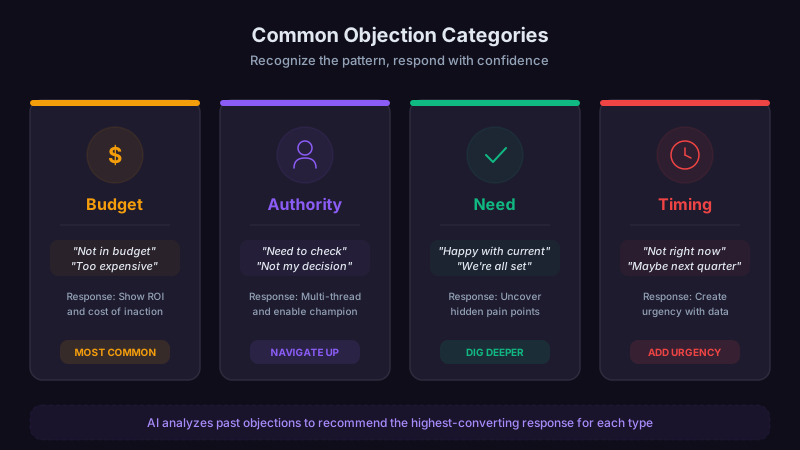
Objection Handling: How AI Can Support Better Sales Conversations
Learn how to turn real call data into objection frameworks, practice scenarios, and a measurable coaching loop.
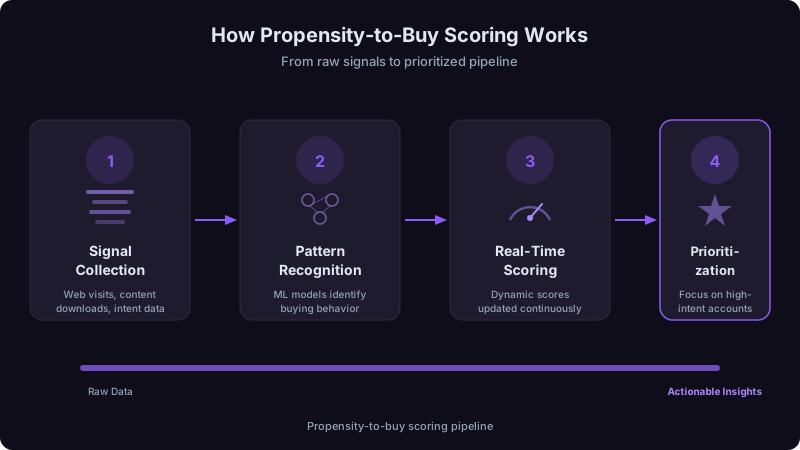
Propensity to Buy Scoring: A Practical Guide to Account Prioritization
Learn how Prospectory's current P2B score weighs five account-research factors and presents explanations with available source context for seller review.
AI Response Management: How to Handle More Replies Without Hiring
Getting replies is only half the battle. Learn how AI-assisted classification, routing, and drafting turn more of the replies you already earn into meetings.