Hyper-Personalization at Scale: How AI Writes Better Sales Emails Than Your Reps
Generic templates get ignored. Learn how AI-powered personalization achieves 57% higher conversion rates while saving your team hours of research.
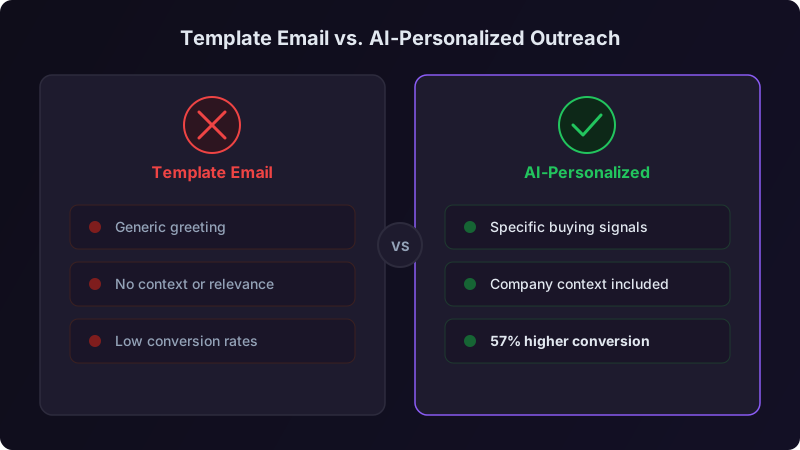
Two years ago, I had a team of eight SDRs. Four of them were "researchers", they'd spend 20 minutes per prospect, read LinkedIn posts, scan the company blog, check Crunchbase, look at job postings. They'd craft emails that referenced specific details about the prospect's business. Their reply rates averaged 9%.
The other four used templates. They'd swap out the company name and maybe change the industry reference. They could send five times the volume. Their reply rates averaged 1.8%.
Simple math: the researchers booked more meetings per day despite sending fewer emails. But we couldn't scale the research approach. We were already spending 60% of our SDR capacity on research instead of actual outreach.
That tension, quality personalization vs. scalable volume, is the central problem AI personalization solves. And after 18 months of testing different AI personalization approaches, I can tell you exactly what works, what doesn't, and where the hype exceeds reality.
The Personalization Spectrum
Not all personalization is created equal. I think about it as a spectrum with five levels:
| Level | Description | Example | Typical Reply Rate |
|---|---|---|---|
| Level 0: Blast | Same email to everyone | "Dear Sir/Madam, we offer solutions..." | 0.1-0.5% |
| Level 1: Merge fields | Name and company swapped in | "Hi Sarah, I noticed you work at Acme..." | 1-2% |
| Level 2: Segment | Messaging varies by industry or role | "As a VP of Sales at a Series B SaaS company..." | 2-4% |
| Level 3: Researched | References specific prospect details | "Saw your post about rebuilding outbound..." | 6-10% |
| Level 4: Contextual | Connects research to a specific, timely trigger | "With your Series C last month and 12 new SDR listings..." | 10-15% |
Most teams live at Level 1-2. The best manual researchers hit Level 3, occasionally Level 4 on their best days. AI personalization, done well, can operate consistently at Level 3-4 across every single email.
What AI Personalization Actually Does
Let me demystify this. When I say "AI personalization," I don't mean adding a prospect's first name to a template. Here's what a good AI personalization system does in the 15-30 seconds between receiving a prospect's information and producing a draft:
The AI pulls from multiple data sources simultaneously: the prospect's LinkedIn profile (headline, about section, recent posts, job history), their company's website (about page, recent news, product pages), news mentions, job postings, funding data, technographic information, and any first-party data from your CRM (previous interactions, page visits, content downloads).
Raw data gets processed into meaningful signals. The AI isn't just reading, it's interpreting. "The prospect posted about hiring challenges three times in the last month" becomes the signal "scaling team is a current priority." "The company just raised a Series B" becomes "they have budget and growth pressure." "They're using a competitor's product according to technographic data" becomes "they're in-market and know the category."
This is where the real work happens. The AI maps extracted signals to your specific value propositions. If you help companies ramp SDR teams faster, and the prospect is hiring SDRs, that's a direct connection. If you help improve outbound efficiency, and the prospect's company just set aggressive revenue targets based on their latest earnings call, that's a contextual connection. The AI finds the strongest, most relevant bridge between what you do and what they care about right now.
The AI produces a message that leads with the prospect's situation (not your product), connects it to a relevant outcome, and includes a specific, low-friction CTA. The tone matches the channel, more professional for email, more conversational for LinkedIn.
The Before and After
Let me show you concrete examples from my team. These are real emails (company names changed) that demonstrate each level.
Level 1, Merge Field "Personalization":
Hi John, I noticed you work at Vertex Solutions. We help companies like yours improve sales efficiency. Would you be open to a quick chat?
This tells John nothing he doesn't already know. It could be sent to any human at any company. Reply rate on messages like this: 1.3%.
Level 3-4, AI Personalized:
Hi John, Congratulations on Vertex's Series B, $50M is a serious vote of confidence in your platform. I noticed you're hiring 15 new SDRs, which usually means scaling outbound is a priority. We helped Rivery ramp their new SDR team 40% faster using AI-powered research. Might be relevant as you build out the team?
This tells John you know something specific about his company, you understand what it implies for his priorities, and you have a relevant proof point. Reply rate on messages at this level: 11.2%.
The reply rate difference between Level 1 and Level 4 isn't just about flattering the prospect. It's about signaling competence. When your email shows you understand their situation, the prospect thinks: "This person did their homework. They probably understand my problem well enough to be worth 15 minutes." A generic email signals the opposite: "This person doesn't know or care about my specific situation. Why would they have a relevant solution?"
The Results From 18 Months of Testing
I ran controlled tests across our team and with three client organizations. Here's what I found:
But the numbers I'm most proud of aren't the efficiency gains. They're the quality consistency numbers.
Before AI personalization, our best SDR had a 12% reply rate and our worst had 1.4%. That's an 8.5x gap between top and bottom performers. After rolling out AI personalization with human review, our best SDR hit 14% and our worst hit 7%. The gap shrank from 8.5x to 2x.
The floor rose dramatically. That's the real story. AI personalization doesn't replace your best reps. It makes your average and below-average reps perform much closer to your stars.
What AI Gets Wrong (And Where Humans Still Matter)
I'd be dishonest if I didn't talk about the failure modes. AI personalization isn't a "set it and forget it" solution. Here's where it falls short:
Tone mismatches. AI tends to produce text that's slightly too formal or slightly too enthusiastic. It might write "Congratulations on the incredible Series B!" when a simpler "Congrats on the Series B" sounds more natural. Human review catches these tonal issues quickly.
Stale data references. If the AI references a LinkedIn post from 6 months ago as if it were recent, it reveals that the "personalization" is automated. The prospect thinks: "You didn't actually look at my profile, your tool did." Recency matters. Good AI systems weight recent signals heavily, but they still occasionally pull dated references.
Over-personalization. Yes, this is a real problem. When an email references too many specific details, your Series B, your recent hire, your LinkedIn post from Tuesday, your company's new product launch, AND your tech stack, it feels creepy. Like someone compiled a dossier. One or two highly relevant details per email is the sweet spot.
Missing context that humans have. A human rep who's been in the industry for years might know that Vertex Solutions just went through a painful vendor switch (they heard it at a conference). That context won't show up in any data source the AI can access. The best emails blend AI-gathered intelligence with human contextual knowledge.
Let AI handle 80% of the work, research, signal extraction, draft generation. Let humans handle the 20% that requires judgment, tone adjustment, context that isn't in the data, genuine personal connections. When a rep knows the prospect personally, went to the same school, or met them at an event, that detail should come from the human, not the AI.
The Human-AI Partnership in Practice
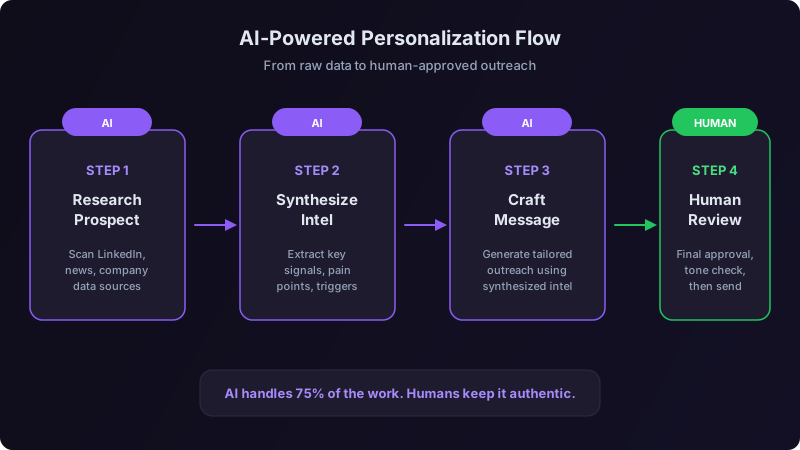
Here's exactly how we structured the workflow:
For every prospect, the AI produces:
- 1A research brief (key signals, company context, relevant triggers)
- 2A suggested personalization angle (which signal to lead with and why)
- 3A draft email connecting the angle to our value proposition
- 42-3 alternative angles if the rep wants a different approach
The rep then:
- 1Scans the research brief (30 seconds)
- 2Reads the draft (15 seconds)
- 3Makes edits, usually tone tweaks and adding any personal context (30-60 seconds)
- 4Sends
Total time per prospect: under 2 minutes. Compare that to 15-20 minutes for manual research and writing. And the output quality is consistently Level 3-4 instead of varying wildly based on the rep's skill and energy level that day.
Implementation: How to Roll This Out Without Breaking Things
I've seen teams botch AI personalization rollouts three ways: they don't connect enough data sources, they skip the human review step, or they don't define their value propositions clearly enough for the AI to map signals to. Here's how to avoid each.
Phase 1: Data Foundation (Week 1)
Connect your data sources. The AI is only as good as the information it can access. At minimum:
- [ ] LinkedIn (prospect profiles, posts, activity)
- [ ] Your CRM (deal history, previous interactions, contact data)
- [ ] Company data provider (firmographics, technographics, funding)
- [ ] Your website analytics (which pages did they visit?)
- [ ] News and trigger events (funding, hiring, leadership changes)
If you can only connect three sources, make them LinkedIn, your CRM, and a company data provider. LinkedIn gives you the personal context. CRM gives you interaction history. Company data gives you firmographic and trigger signals. These three alone cover 70-80% of the personalization value.
Phase 2: Value Proposition Mapping (Week 1-2)
The AI needs to know what to connect prospect signals to. Write out your value propositions as specific, outcome-focused statements tied to prospect situations:
| Prospect Situation | Value Prop Connection | Example Proof Point |
|---|---|---|
| Hiring SDRs | We ramp new SDRs 40% faster | "Rivery cut ramp time from 90 to 55 days" |
| Using competitor X | We deliver 2x more verified contacts | "Lattice switched and doubled their pipeline" |
| Recently funded | We help funded companies hit targets faster | "Drata booked 300% more meetings in Q1 post-Series B" |
| CRO just joined | We get new CROs quick wins in their first 90 days | "New CRO at Gong saw pipeline impact in 6 weeks" |
Build 8-12 of these mappings. The AI uses them to select the most relevant angle for each prospect.
Phase 3: Pilot with Review (Week 2-4)
Start with 3-5 reps. Every AI-generated email gets human review before sending. No exceptions during the pilot.
Track three things during pilot:
- 1Draft acceptance rate: What percentage of AI drafts get sent with minor or no edits? Target: 80%+
- 2Reply rate by personalization level: Are the AI-personalized emails outperforming your control group?
- 3Time per email: Measure the actual time from prospect assignment to email sent. Target: under 2 minutes.
Phase 4: Calibration (Week 4-6)
Based on pilot data, adjust. Common calibrations:
- Shorten email length (AI tends to write too long initially)
- Reduce the number of personalization details per email (one strong reference beats three weak ones)
- Adjust tone templates based on what resonates with your specific audience
- Add or remove data sources based on which signals correlate with replies
Phase 5: Full Rollout (Week 6+)
Once draft acceptance is above 80% and reply rates exceed your control, roll out to the full team. Keep the human review step, but allow experienced reps to move to a "spot check" model where they review every 5th email closely instead of every single one.
Measuring What Matters
Don't just measure efficiency. Measure quality and outcomes:
| Metric | What It Tells You | Target |
|---|---|---|
| Reply rate | Message relevance and deliverability | 6%+ (cold), 15%+ (warm) |
| Positive reply rate | How many replies are interested vs. "remove me" | 60%+ of all replies |
| Time per personalized email | Efficiency gain | Under 2 minutes |
| Draft edit rate | AI calibration quality | Under 30% of drafts need major edits |
| Rep variance | Team consistency | Top-to-bottom gap under 3x |
| Meeting conversion | End-to-end effectiveness | Meetings per 100 emails sent |
Positive reply rate is my North Star metric. A 10% reply rate sounds great until you discover that 7% of those replies are "please take me off your list." Track the percentage of replies that express genuine interest. That's the number that predicts pipeline.
Where This Is Heading
I'll make a prediction: within 18 months, every serious outbound team will use some form of AI personalization. The technology is already good enough. The data sources are available. The cost has dropped to the point where it's cheaper than the SDR time it replaces.
The competitive advantage won't be "using AI personalization", everyone will be doing that. The advantage will be in how well you've mapped your value propositions to prospect signals, how clean your data is, and how effectively your human reps add the layer of judgment and genuine connection that AI can't replicate.
The teams that treat AI as a replacement for human skill will produce emails that feel slightly off, technically personalized but emotionally hollow. The teams that treat AI as an amplifier for human skill will produce emails that feel both relevant and authentic.
I've seen both outcomes. The difference is obvious to prospects, even if they can't articulate exactly why one email feels real and another doesn't.
You don't need to overhaul your entire outreach operation. Pick your top 50 prospects this week. Use AI to research them and draft personalized emails. Have your reps review and adjust. Measure the results against your last 50 template emails. That comparison will tell you everything you need to know about whether AI personalization is right for your team.
Ready to transform your sales pipeline?
See how Prospectory's AI-powered platform can help your team research, reach, and relate to prospects at scale.
Related Articles
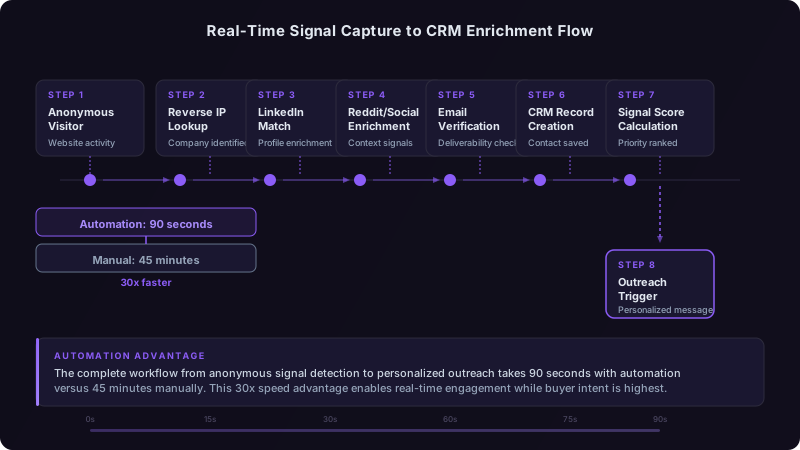
Real-Time Buying Signals vs. Historical Data: Which Actually Predicts Revenue?
Historical patterns tell you who bought before. Real-time signals tell you who's buying now. We analyzed 18 months of pipeline data to find out which matters more.
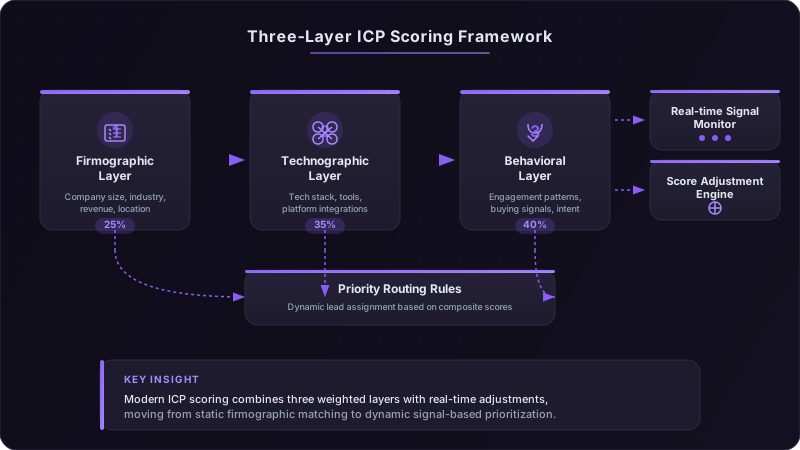
ICP Scoring Models That Actually Predict Revenue
Three $50M+ ARR companies share their exact ICP scoring matrices, combining firmographics, technographics, and behavioral signals to predict deal velocity and close rates.
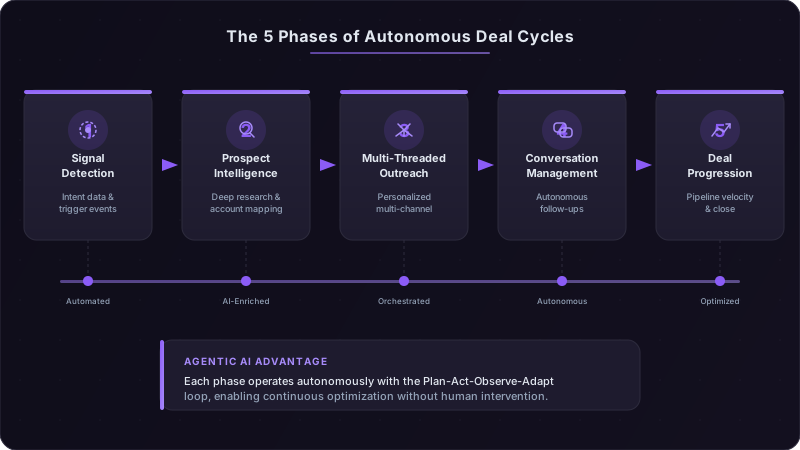
Agentic AI in Sales: How Autonomous Deal Cycles Are Replacing the Traditional Pipeline
Agentic AI is moving beyond task automation into fully autonomous deal orchestration. Learn how self-directed AI agents are compressing 90-day sales cycles into weeks.